Building Your Site
Change your design style
Swap the whole look of your site without touching a single piece of content.
- 1
Open the theme picker
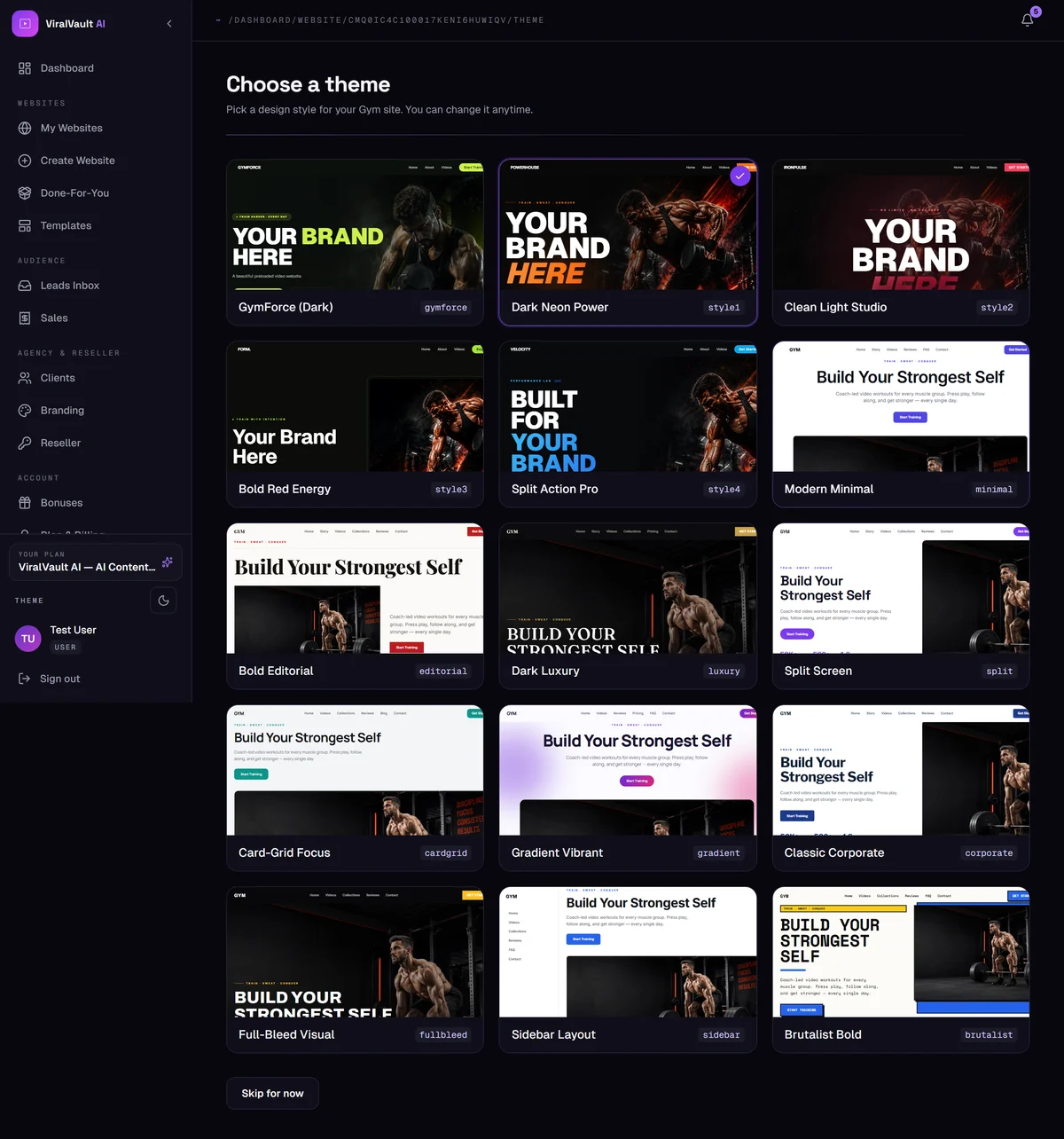
From your site's management area, open the Editor and choose the theme option, or go straight to the site's theme page. You'll see every style available for your niche.
- 2
Preview before you commit
Each card is a live preview of how that design looks with your own content — not a stock mockup. Scroll each one to see the hero, the video grid and the section styling.
- 3
Styles are niche-specific
Alongside the universal styles, most niches have their own bespoke designs — for example IronFist for Boxing, HomeFit for Home Workout, and dedicated calm palettes for Yoga and Meditation.
Picking one of those gets you a site that doesn't look like a template.
- 4
Switching is safe
Changing style keeps your sections, videos, programs, blog posts and products exactly as they are. You can change it as often as you like.