Building Your Site
Turn your site into an installable app
Your published site is already a PWA — visitors can add it to their home screen.
- 1
It already works
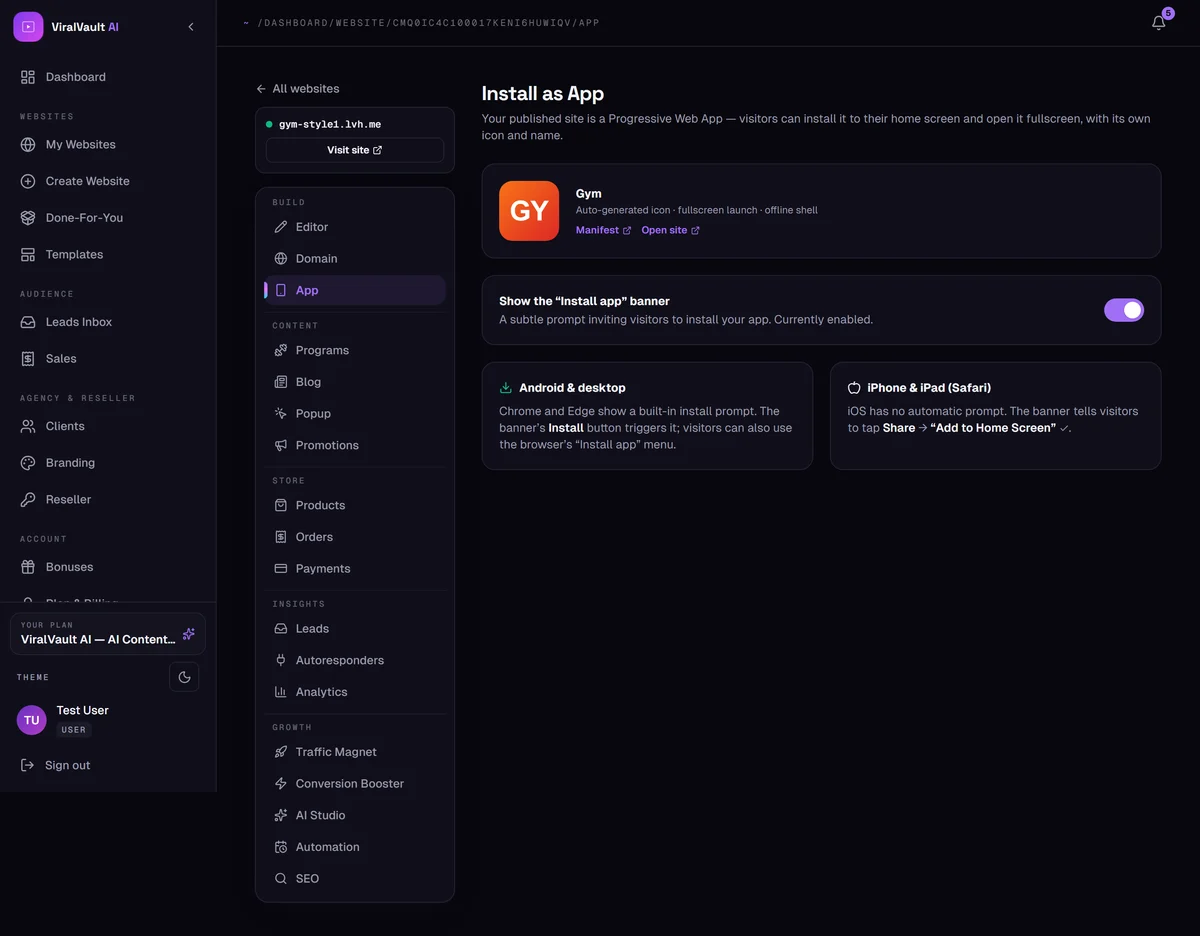
Open Build → App. Your published site is a Progressive Web App out of the box: auto-generated icon, fullscreen launch, and an offline shell. There is nothing to build or submit to a store.
- 2
Show the install banner
Turn on Show the "Install app" banner to invite visitors to install it. It's a subtle prompt, not a takeover.
- 3
Android and desktop
Chrome and Edge have a built-in install prompt. Your banner's Install button triggers it, and visitors can also use the browser's own Install app menu item.
- 4
iPhone and iPad
iOS has no automatic prompt — Apple doesn't allow one. On Safari the banner tells visitors to tap Share → Add to Home Screen, which is the equivalent step.